BETA / LIVE
Fixed-wing Pilot (Multi-role) Handbook - UNITAF Force Manual (FM)


Fixed-wing Pilot (Multi-role) Handbook
The FM outlines our core skills, policies and guides to ensure every member stands ready for the mission ahead.


Fixed-wing Pilot (Multi-role)

Fixed-wing Pilot (Multi-role)

in Fixed-wing Aircrew Air Operations
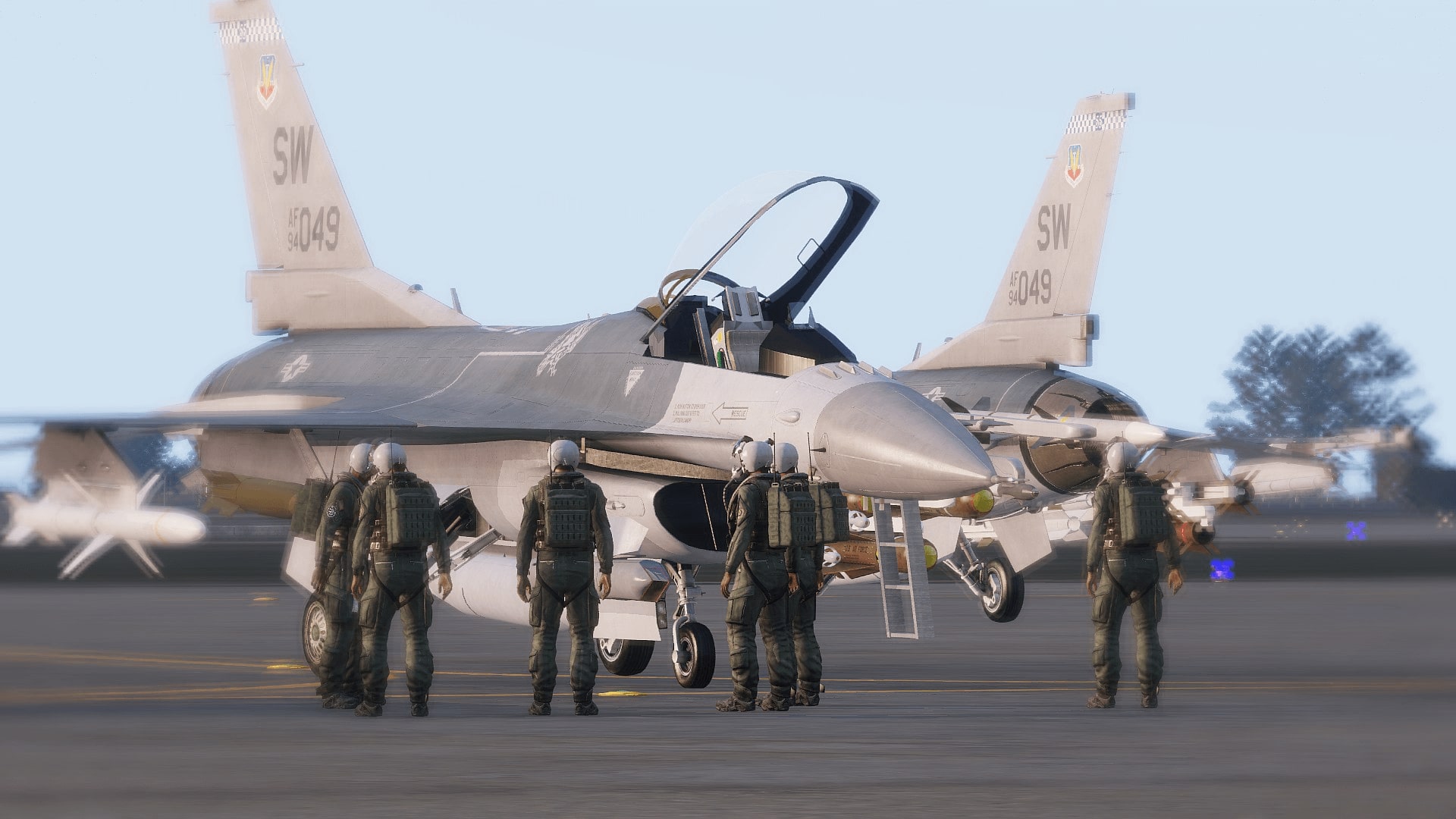
A multirole combat aircraft (MRCA) is a combat aircraft intended to perform different roles in combat. A multirole fighter is a multirole combat aircraft which is, at the same time, also a fighter aircraft; in other words, an aircraft whose various roles include, among others, the role of air-to-air combat. Aircraft employed by UNITAF in this role include the FA-18 Super Hornet, and the F-16 FIghting Falcon.
Filters
Estimated Role Data
The role card is not currently ready for full deployment so it is using a simplified version of the role card. The SOP from the legacy SOP portal has been transferred to guide blocks, but the Role Card itself may have only a handful of temporary skill blocks. The purpose of these skill blocks is to closely mimic LTS requirements to provide continuity of role access, and these role cards can be easily built on soon after launch to improve the accuracy while still benefitting from all the other features of FTS3 and the FM. Use this information as a general reference while understanding it may not reflect the final, role-specific requirements.

FM/G269 - Fixed-wing Aircrew Experience

FM/BG-1236 - Temporary Experience Requirements Explained via Fixed-wing Pilot (General)

Your role access is determined by your skills, experience with those skills, and the specific roles that utilize them. With over 100 roles in UNITAF, creating detailed skill breakdowns for every role is a substantial undertaking that cannot be completed overnight. 

Estimated Role Cards

To ensure the entire unit can transition to the new system immediately, some roles are tagged as **"Estimated"**. These roles use a transitional approach:

  • Temporary skill blocks simulate role-specific experience
  • Estimated access levels are calculated based on these placeholder blocks
  • Similar to LTS functionality but with improved accuracy and fewer limitations

Current State: Estimated roles provide functional access levels that closely mirror the previous LTS system while addressing many of its shortcomings. As development progresses, estimated role cards will be upgraded to the full FTS3 standard with detailed, role-specific skill requirements.

Important Note: When roles transition from "Estimated" to "Verified" status, your access level may change (either increase or decrease) as the requirements become more precise and role-specific.

This approach allows UNITAF to:

  • Maintain operations during the transition period
  • Provide immediate access to the improved FTS3 system
  • Ensure continuity while detailed role cards are developed
  • Gradually improve role accuracy over time

The estimated system serves as a bridge, ensuring no disruption to unit operations while we build toward the comprehensive FTS3 vision.

FM/BS-1238 - Experience as Fixed-wing Aircrew

This is a temporary skill block, the skill block is being used to accumulate SP for time spent as Fixed-wing Aircrew until it's role card is completed.

FM/G71 - Rules of engagement via Fixed-wing Pilot (General)

FM/BG-348 - Understanding rules of engagement (ROE) via Fixed-wing Pilot (General)

Rules of engagement (ROE) are directives that dictate how and when military forces can engage in combat. ROE outline conditions for using force, including target identification, self-defence, and proportionality. They are designed to ensure lawful and ethical conduct in military operations, and vary depending on the mission and environment. ROE always take precedence in operational decisions.

FM/BS-349 - Identify legitimate targets via Fixed-wing Pilot (General)

Identify targets as legitimate targets before engagement. This is crucial to prevent harm to civilians and ensure adherence to the principles of distinction and proportionality in combat.

Combatants: Individuals who are actively engaged in hostilities or are members of armed forces.

  • Enemy soldiers in uniform not surrendering or wounded
  • Armed militants
  • Persons directly participating in hostilities
  • A person posing an immediate threat (e.g., aiming a weapon) can be considered a combatant
  • Parachuting active airborne infantry

Non-Combatants: Individuals who are not actively participating in hostilities. These are not legitimate targets.

  • Civilians not taking direct part in hostilities
  • Unarmed medical and religious personnel
  • Wounded/surrendering soldiers who are not participating combat in any way, and prisoners of war
  • Parachuting crew from a downed aircraft
FM/BS-350 - Minimize collateral damage against civilian infrastructure via Fixed-wing Pilot (General)

Do not cause damage to civilian infrastructure, unless necessary to archieve a military purpose. In general, preserving life should be prioritised over the avoidance of damage, but the destruction must be proportional to the purpose.

Examples:

  • Acceptable situations:
    • Using explosives on a civilian house used as a military HQ
    • Dropping a bomb on an actively engaging enemy tank next to a house
  • Unacceptable situations:
    • Cluster-bombing an enemy-held town
    • Destroying a house to take out a single shooter

FM/G18 - Vehicle class identification via Fixed-wing Pilot (General)

FM/BG-101 - Vehicle identification overview via Fixed-wing Pilot (General)

Vehicle identification is a useful skill for anyone on the battlefield, and a requirement for many of the more specialised roles. While some vehicles pose only a minimal threat, some can halt an entire platoon by themselves. As such accurate identification is crucial to good situational awareness, planning and tasking.

  • Identifying a vehicle can be done at three levels of depth:
    • Vehicle class
    • Subclass within vehicle class
    • Specific vehicle model
  • Not all vehicles within a class fall under a subclass.
  • Vehicle identification covers only military vehicles. 
  • Any other vehicle should be referred to by it's common name, e.g.
    • pickup 
    • truck
    • bicycle
    • jetski
FM/BG-129 - Common terminology for vehicle identification via Fixed-wing Pilot (General)
  • Auto-cannon: an automatic gun with a caliber between 20-60 mm
  • Cannon: a gun bigger than an auto-cannon
  • Direct fire: firing a weapon within the line-of-sight of the user of the weapon in a (relatively) flat trajectory
  • Indirect fire: firing a weapon outside the line-of-sight of the user of the weapon
FM/BS-102 - Identify light vehicles via Fixed-wing Pilot (General)

Rapidly identify a light vehicle as being:

  • Wheeled
  • Not armed with an autocannon or larger
  • Not classified as an AFV

Those at higher proficiency are able to identify the subclasses as:

  • Technical: civilian vehicle adapted for military use
  • MRAP: mine resistant and protected against small arms
  • Truck: military truck
A column of US Army M1114 uparmored HMMWV (or Humvee)

Above: A column of US Army M1114 uparmored HMMWV (or Humvee)

FM/BS-103 - Identify AFVs via Fixed-wing Pilot (General)

Rapidly identify a AFV as being:

  • Wheeled or tracked
  • Armed with nothing to cannon, intended for direct fire
  • Protected against at least small arms

Those at higher proficiency are able to identify the subclasses as:

  • APC: armed with up to a heavy machine-gun
  • IFV: armed with an autocannon
  • Assault gun: armed with a cannon
  • ATGM carrier: armed with ATGMs (anti-tank guided missile) as primary armament
US Army M1126 Stryker AFV on patrol

Above: US Army M1126 Stryker AFV on patrol

FM/BS-104 - Identify tanks via Fixed-wing Pilot (General)

Rapidly identify a tank as being:

  • Tracked
  • Turreted
  • Protected against at least auto-cannon fire
  • Having a cannon capable and intended for direct fire

There are no subclasses.

A section of US Army M1A2 SEPv2 Tanks engaging enemy forces

Above: A section of US Army M1A2 SEPv2 Tanks engaging enemy forces

FM/BS-108 - Identify artillery via Fixed-wing Pilot (General)

Rapidly identify artillery as being:

  • Towed, wheeled or tracked
  • Having a cannon or rocket tubes intended for indirect fire

Those at higher proficiency are able to identify the subclasses as:

  • Towed artillery: cannot move by itself
  • Self propelled artillery: cannon/rocket tubes are mounted on a wheeled or tracked vehicle
M119 Howitzer towed artillery unit in it's deployed configuration

Above: M119 Howitzer towed artillery unit in it's deployed configuration

FM/BS-105 - Identify anti-air via Fixed-wing Pilot (General)

Rapidly identify anti-air being:

  • Primarily inteded for engaging helicopters or planes

Those at higher proficiency are able to identify the subclasses as:

  • AAA (anti-air artillery): primary armament is one or more guns
  • SAM: primary armament is surface-to-air missiles
ZSU-23 Shilka Anti-Aircraft System

Above: ZSU-23 Shilka Anti-Aircraft System

FM/BS-109 - Identify helicopters via Fixed-wing Pilot (General)

Rapidly identify a helicopter as being:

  • Capable of powered flight
  • Generating lift with one or more horizontally spinning fixed rotors

Those at higher proficiency are able to identify the subclasses as:

  • Utility helicopter: armament is only intended for self defense (e.g. a door gun)
  • Attack helicopter: armament is intended for offensive use (e.g. rocket pods)
US Army AH-64D Apache Gunship

Above: US Army AH-64D Apache Gunship

FM/BS-465 - Identify tiltrotor aircraft via Fixed-wing Pilot (General)

Rapidly identify tiltrotor aircraft as being:

  • Capable of powered flight
  • Generating lift with one or more horizontally spinning rotors capable of rotating in flight

There are no subclasses.

FM/BS-107 - Identify planes via Fixed-wing Pilot (General)

Rapidly identify a plane as being:

  • Capable of powered flight
  • Generating lift with wings

Those at higher proficiency are able to identify the subclasses as:

  • Cargo plane: military plane used to ferry cargo or passengers
  • Attack plane: slower flying aircraft intended for ground attack
  • Fighter plane: fast flying aircraft intended to fight other planes
US Air Force A-10A Warthog releasing a GBU-48 Enhanced Paveway II

Above: US Air Force A-10A Warthog releasing a GBU-48 Enhanced Paveway II

FM/G213 - Anti-air threat classification

FM/BG-962 - Small arms fire via Fixed-wing Pilot (General)

Small arms can penetrate unarmoured cockpits at close range but are less effective beyond 500 meters. Indicators include muzzle flashes, tracers, and sounds of hits. React by performing break turns, jinking, and changing altitude to use terrain for cover.

FM/BG-963 - Heavy machineguns and AAA via Fixed-wing Pilot (General)

These weapons have high accuracy and heavy rounds that cause significant damage. Look for large tracers, muzzle flashes, and stable fire from vehicles or emplacements. Use break turns, jinking, and altitude changes to evade.

FM/BG-964 - Anti-tank weapons via Fixed-wing Pilot (General)

Effective at short range against slow, low helicopters. Watch for back blast and smoke trails. Immediately deploy flares and break turn perpendicular to the launch site. Stop flaring once confirmed as an unguided rocket.

FM/BG-965 - Missiles (MANPADs, SAMs) via Fixed-wing Pilot (General)

Long-range, guided missiles are deadly and hard to evade. Look for smoke trails and launch warnings. Deploy flares and chaff, fly perpendicular to the missile, and use terrain to mask until out of danger.

FM/G96 - Map & Compass via Fixed-wing Pilot (General)

FM/BG-480 - How to read a map via Fixed-wing Pilot (General)

The main thing to remember is that the grids must be read right, and then up. Due to the fact that the map grid is composed entirely of numbers, it's important that you do not transpose them, else you're likely to send someone far, far away from where you needed them to go.

Read the x (horizontal) axis first, then read the y (vertical) axis

Above: Read the x (horizontal) axis first, then read the y (vertical) axis

FM/BS-476 - Read a six-figure grid reference via Fixed-wing Pilot (General)
  • State the proword “GRID”
  • Read the first three digits representing west to east (X Axis)
  • Pause briefly
  • Read the next three digits representing south to north (Y Axis)
FM/BS-477 - Read an eight-figure grid reference via Fixed-wing Pilot (General)
  • State the proword “GRID”
  • Read the first four digits representing west to east (X Axis)
  • Pause briefly
  • Read the next four digits representing south to north (Y Axis)
FM/BS-478 - Recognise points of elevation & hill numbers via Fixed-wing Pilot (General)

Recognise points of elevation and hill numbers:

  • 2 or 3-digit numbers on the tops of hills are known as hill numbers and should be referenced as ‘Hill xxx’
  • The zoom scale of the map affects whether some of these numbers are visible (specifically the smaller/minor hills).
  • In mountainous or hilly terrain there may be multiple hills with the same number. In these circumstances, provide additional context, such as a grid reference to ensure clarity of communication.
FM/BS-479 - Read contours intervals via Fixed-wing Pilot (General)

Read contour lines using the 2 types contour intervals marked on map:

  • Thinner brown lines representing the places of same height at the minor interval (listed in the map legend)
  • Thicker brown or red lines representing places of same height at the major interval level (5 times the minor interval)

Recognize the gradient (steepness) of the terrain, based on the spread of the contour lines (the closer contour lines are, the steeper the terrain)

FM/G199 - Managing risk to aircraft

FM/BG-957 - Tactical risk prevention via Fixed-wing Pilot (General)

Effective aircrew limit risk by applying tactical movement and minimizing exposure. Terrain masking, speed, and irregular flight paths reduce vulnerability. Avoid flying directly toward or away from enemy infantry to complicate their aim.

FM/BG-958 - Gun threat avoidance via Fixed-wing Pilot (General)

Altitude is key when facing gun-based anti-air. Flying higher makes it harder for gunners to lead shots, especially when combined with speed and unpredictable flight paths.

FM/BG-959 - Missile threat avoidance via Fixed-wing Pilot (General)

Against infrared-guided threats, flare/chaff deployment before and after an attack run disrupts missile lock. Expect rear-aspect engagements post-run, and dispense flares to confuse in-flight missiles. For radar-guided threats, deploy chaff when locked up or upon missile launch.

FM/BG-960 - Countermeasure systems via Fixed-wing Pilot (General)

Flares target infrared-guided missiles by presenting false heat sources, either preventing lock-on or diverting launched missiles. Chaff confuses radar-guided threats by reflecting radar signals and creating false targets. In Arma 3, flares and chaff may deploy together unless modified systems allow separate use.

FM/BG-961 - Evasive manoeuvres via Fixed-wing Pilot (General)
  • Jinking: The act of making sharp, sudden, and unpredictable evasive manoeuvres. Jinking makes it difficult to track and lead an aerial target. It is most effective against unguided weapons such as machineguns, cannons, rockets, etc.   
  • Break Turn: A sudden, sharp turn typically of 90 degrees or more. This is often used to attempt to evade a rocket or missile system, or when a heavy machinegun or anti-aircraft artillery piece has engaged the aircraft.   
  • Emergency Climb/Dive: The aircraft gains or loses altitude rapidly in an attempt to evade a threat.  
  • Defensive Roll: The aircraft rolls so that the bottom of it is between the threat weapon (typically machineguns) and the crew. A roll is usually accompanied by pulling the aircraft in the rolled direction, resulting in the aircraft pulling away from the threat.

FM/G202 - Communicating within an aircraft

FM/BG-969 - Maintaining shared situational awareness via Fixed-wing Pilot (General)

All crew members must continuously share threat intelligence, friendly positions, and ammunition status. Critical threats such as missile launches or tracers must be reported immediately to prevent loss of aircraft or crew.

FM/BG-970 - Pilot responsibilities in coordination via Fixed-wing Pilot (General)

Pilots must communicate planned or ongoing maneuvers, especially when turreted systems are in use, allowing gunners to compensate for movement. They must also monitor and share updates on fuel levels and the aircraft’s airworthiness following any damage to ensure coordinated decisions on engagement and return-to-base timing.

FM/BG-971 - Gunner responsibilities in coordination via Fixed-wing Pilot (General)

Gunners must communicate weapon employment activities and targeting status so the pilot can adjust aircraft behaviour. If specific attack vectors or flight stability are required for effective weapon use, the gunner must clearly communicate these to the pilot.

FM/BG-972 - Brevity for weapon employment and manoeuvres via Fixed-wing Pilot (General)

Brevity words are essential for clear, fast, and unambiguous communication between aircrew during dynamic combat situations.

  • Steady: Request to hold current heading to provide a stable firing platform.
  • Rotate (left/right): Instruction to turn aircraft for optimal weapon employment.
  • Popping up / Pop up: Aircraft is rising to clear an obstruction or take a shot.
  • Dropping down / Drop down: Aircraft is descending behind cover, typically after engagement.
  • Firing / Engaging: Gunner is actively firing weapons.
  • Launched / Missile away: Gunner has launched a missile; aircraft may manoeuvre freely.
  • Running in: Aircraft is beginning an attack run on a known target.
  • Breaking (left/right/etc.): Aircraft is making a sharp turn in the indicated direction.
FM/BG-973 - Brevity for threat warnings via Fixed-wing Pilot (General)

Quick threat callouts enable timely countermeasures and coordinated evasive action. 

  • Missile, missile: Suspected or confirmed missile launch; triggers missile evasion protocol.
  • Taking SAF: Aircraft is under small arms fire; evasive manoeuvres may be needed. Often shortened to “SAF, SAF.”
  • Taking heavy: Aircraft is under heavy weapon fire such as vehicle-mounted guns. Often shortened to "Heavy, heavy."
FM/BG-974 - Brevity for contact identification via Fixed-wing Pilot (General)

Effective target and friendly identification depends on consistent use of contact brevity terms.

  • Visual: Friendly forces have been sighted.
  • Blind: Friendly forces cannot be seen.
  • Tally: Hostile forces have been spotted.
  • No joy: Hostile forces not seen.
  • Tracers (direction): Enemy tracer fire seen, direction specified.
  • Flashes (direction): Muzzle flashes spotted, direction specified.
FM/BG-975 - Brevity for aircraft status via Fixed-wing Pilot (General)

Status terms inform the crew and controllers of critical conditions requiring resupply or immediate action.

  • Winchester: Out of ammunition; unable to continue attack.
  • Bingo: Low fuel; must return to base to avoid forced landing.

FM/G112 - Using radios via Transactional Radio User

FM/BG-679 - The radio and its purpose via Fixed-wing Pilot (General)

A radio is a specialized communication device designed for use by armed forces to facilitate secure and reliable communication on the battlefield and during military operations.

The primary purpose of a radio is to enable effective coordination and command among elements, allowing for the swift transmission of orders, intelligence, and situational updates. This real-time communication capability is crucial for coordinating maneuvers, calling for support, reporting enemy positions, and ensuring overall operational efficiency and safety of personnel during operations.

FM/BG-680 - Set up a short range radio via Fixed-wing Pilot (General)

During any operation that requires it, you'll be provided with an AN/PRC-152. It is the short range radio used by all elements. The main frequency is the channel (C1, C2,…) that is currently selected on the radio.

To set up your main frequency:

  1. Check with your leader or in the ORBAT what frequency you should be on
  2. Hover with your mouse on your current frequency (2) and type the desired frequency; eg. 271
  3. Click the ENT (4) button to enter (save) the frequency
  4. Check in with your team to see if the radio is working properly

Using the AN/PRC-152 you can also set up an additional frequency to communicate with other elements that aren't your own. The additional frequency is set manually and will show as “A#” in place of the channel name e.g. If channel 2 is selected as the alternate frequency, it will become A2.

To set up an additional frequency:

  1. Click the + button (5) to select the desired channel.
  2. Click the left arrow button (8) to set an additional channel. 
    1. At this point you should read A# (# being the channel number) instead of C#, next to the frequency number.
  3. Type the wanted frequency you want to use as additional; eg. 270
  4. Click the ENT (4) button to enter the frequency
  5. Click the - button (6) to return to your main frequency

If you want to dictate which ear you want the audio for your main and alternate channels to come out from, select the frequency you want to adjust and click the 0(9) button to modify the stereo settings. On the bottom right of the screen, you'll see an indicator that says either "left", "right" or "left and right". Ensure you do this for both your main and alternate channels on any radios you're using.

Now you should be able to hear both frequencies in different ears.

The BLUFOR issued AN/PRC-152 and its buttons explained.

Above: The BLUFOR issued AN/PRC-152 and its buttons explained.

FM/BG-1695 - Applying RSVP when communicating on the radio via Fixed-wing Pilot (General)
  • Rhythm: Use short sentences divided into sensible phrases which maintain a natural rhythm, they should not be spoken word by word.
  • Speed: Speak slightly slower than normal conversation. Speed is easily adjusted by increasing or decreasing the length of pauses between phrases, as opposed to altering the length of pauses between words as this will create an unnatural, halted style of speech which is difficult to understand.
  • Volume: Volume should be as for normal conversation. There is no need to shout, the sensitivity of the microphone will clearly communicate your voice, even in a noisy environment.
  • Pitch: The voice should be the natural pitch of your voice to maintain clarity.

FM/G112 - Using radios via Fixed-wing Pilot (General)

FM/BG-679 - The radio and its purpose via Fixed-wing Pilot (General)

A radio is a specialized communication device designed for use by armed forces to facilitate secure and reliable communication on the battlefield and during military operations.

The primary purpose of a radio is to enable effective coordination and command among elements, allowing for the swift transmission of orders, intelligence, and situational updates. This real-time communication capability is crucial for coordinating maneuvers, calling for support, reporting enemy positions, and ensuring overall operational efficiency and safety of personnel during operations.

FM/BG-680 - Set up a short range radio via Fixed-wing Pilot (General)

During any operation that requires it, you'll be provided with an AN/PRC-152. It is the short range radio used by all elements. The main frequency is the channel (C1, C2,…) that is currently selected on the radio.

To set up your main frequency:

  1. Check with your leader or in the ORBAT what frequency you should be on
  2. Hover with your mouse on your current frequency (2) and type the desired frequency; eg. 271
  3. Click the ENT (4) button to enter (save) the frequency
  4. Check in with your team to see if the radio is working properly

Using the AN/PRC-152 you can also set up an additional frequency to communicate with other elements that aren't your own. The additional frequency is set manually and will show as “A#” in place of the channel name e.g. If channel 2 is selected as the alternate frequency, it will become A2.

To set up an additional frequency:

  1. Click the + button (5) to select the desired channel.
  2. Click the left arrow button (8) to set an additional channel. 
    1. At this point you should read A# (# being the channel number) instead of C#, next to the frequency number.
  3. Type the wanted frequency you want to use as additional; eg. 270
  4. Click the ENT (4) button to enter the frequency
  5. Click the - button (6) to return to your main frequency

If you want to dictate which ear you want the audio for your main and alternate channels to come out from, select the frequency you want to adjust and click the 0(9) button to modify the stereo settings. On the bottom right of the screen, you'll see an indicator that says either "left", "right" or "left and right". Ensure you do this for both your main and alternate channels on any radios you're using.

Now you should be able to hear both frequencies in different ears.

The BLUFOR issued AN/PRC-152 and its buttons explained.

Above: The BLUFOR issued AN/PRC-152 and its buttons explained.

FM/BG-1695 - Applying RSVP when communicating on the radio via Fixed-wing Pilot (General)
  • Rhythm: Use short sentences divided into sensible phrases which maintain a natural rhythm, they should not be spoken word by word.
  • Speed: Speak slightly slower than normal conversation. Speed is easily adjusted by increasing or decreasing the length of pauses between phrases, as opposed to altering the length of pauses between words as this will create an unnatural, halted style of speech which is difficult to understand.
  • Volume: Volume should be as for normal conversation. There is no need to shout, the sensitivity of the microphone will clearly communicate your voice, even in a noisy environment.
  • Pitch: The voice should be the natural pitch of your voice to maintain clarity.

FM/G111 - Phonetics via Transactional Radio User

FM/BS-581 - Use the correct numerical pronounciation via Transactional Radio User

When pronouncing individual numerals over a radio channel, pronounce the numeral according to the following table:

NUMERALPRONOUNCED
0ZE-RO
1WUN
2TOO
3TREE
4FOW-ER
5FIFE
6SIX
7SEV-EN
8AIT
9NIN-ER
FM/BS-580 - Use the phonetic alphabet via Transactional Radio User

When pronouncing individual letters over a radio channel, replace the letter with the corresponding word from the following table:

LETTERWORDPRONUNCIATION
AALFAAL FAH
BBRAVOBRAH VOH
CCHARLIECHAR LEE OR SHAR LEE
DDELTADELL TAH
EECHOECH OH
FFOXTROTFOKS TROT
GGOLFGOLF
HHOTELHOH TELL
IINDIAIN DEE AH
JJULIETTJEW LEE ETT
KKILOKEY LOH
LLIMALEE MAH
MMIKEMIKE
NNOVEMBERNO VEM BER
OOSCAROSS CAH
PPAPAPAH PAH
QQUEBECKEH BECK
RROMEOROW ME OH
SSIERRASEE AIR RAH
TTANGOTANG GO
UUNIFORMYOU NEE FORM OR OO NEE FORM
VVICTORVIC TAH
WWHISKEYWISS KEY
XX-RAYECKS RAY
YYANKEEYANG KEY
ZZULUZOO LOO

FM/G111 - Phonetics via Fixed-wing Pilot (General)

FM/BS-581 - Use the correct numerical pronounciation via Transactional Radio User

When pronouncing individual numerals over a radio channel, pronounce the numeral according to the following table:

NUMERALPRONOUNCED
0ZE-RO
1WUN
2TOO
3TREE
4FOW-ER
5FIFE
6SIX
7SEV-EN
8AIT
9NIN-ER
FM/BS-580 - Use the phonetic alphabet via Transactional Radio User

When pronouncing individual letters over a radio channel, replace the letter with the corresponding word from the following table:

LETTERWORDPRONUNCIATION
AALFAAL FAH
BBRAVOBRAH VOH
CCHARLIECHAR LEE OR SHAR LEE
DDELTADELL TAH
EECHOECH OH
FFOXTROTFOKS TROT
GGOLFGOLF
HHOTELHOH TELL
IINDIAIN DEE AH
JJULIETTJEW LEE ETT
KKILOKEY LOH
LLIMALEE MAH
MMIKEMIKE
NNOVEMBERNO VEM BER
OOSCAROSS CAH
PPAPAPAH PAH
QQUEBECKEH BECK
RROMEOROW ME OH
SSIERRASEE AIR RAH
TTANGOTANG GO
UUNIFORMYOU NEE FORM OR OO NEE FORM
VVICTORVIC TAH
WWHISKEYWISS KEY
XX-RAYECKS RAY
YYANKEEYANG KEY
ZZULUZOO LOO

FM/G278 - Callsigns via Transactional Radio User

FM/BG-1136 - Callsigns via Transactional Radio User

A callsign is the identifier that is used to address another unit over radio. Every unit down to the fireteam level has a unique callsign to identify it.

Some individuals also have their own callsigns. These are generally for people with leadership or specialised roles, like the platoon commander, platoon seargeant or forward air controller.

FM/BP-1283 - Callsign structure via Transactional Radio User

Deployment ORBATs in UNITAF have callsigns which are assigned by the deployments Field Leader, callsigns come from a pre-approved callsign list. Some callsigns are from the phonetic alphabet, ALPHA, BRAVO CHARLIE etc. However many other callsigns exist, and can carry themes such as birds, animals and chess pieces. Callsigns are usually words which are short, easy to say, remember and to understand.

In UNITAF Callsigns are assigned to Platoons or to Companies. When a Platoon is assigned a callsign, all subordinate elements of the Platoon also adopt that callsign. A simple example of how this works is outlined below.

  • Platoon HQ (ALPHA 9)
  • Platoon Sergeant (ALPHA 8)
  • Platoon RTO (ALPHA 7)
  • Platoon Medic (ALPHA 6)
  • 1st Squad (ALPHA 1-0)
    • 1st Squad 1st Fireteam (ALPHA 1-1)
    • 1st Squad 2nd Fireteam (ALPHA 1-2)
  • 2nd Squad (ALPHA 2-0)
    • 2nd Squad 1st Fireteam (ALPHA 2-1)
    • 2nd Squad 2nd Fireteam (ALPHA 2-2) 
  • 3rd Squad (ALPHA 3-0)
    • 3rd Squad 1st Fireteam (ALPHA 3-1)
    • 3rd Squad 2nd Fireteam (ALPHA 3-2)
FM/BS-582 - Use ACTUAL to refer to the leader of an element specifically via Transactional Radio User

When needing to speak to the leader of an element specifically, and not anyone else on net who may take transmissions for the callsign (platoon sergeant/radio operators etc.), append ACTUAL after the element's callsign.

ACTUAL is never combined with a personal callsign as defined in FM/BP-1137 - Personal callsigns

FM/BS-583 - Shorten callsigns when possible via Transactional Radio User

To keep radio communications brief, shorten callsigns whenever possible, according to the following rules:

  • Drop the common section of the callsign of all stations on the net (ALPHA 1-1 ←→ ALPHA 1-2 becomes (1 ←→ 2)
  • Drop the numerals when only a single station of that callsign is on the net (ALPHA 1 ←→ BRAVO 1 becomes ALPHA ←→ BRAVO)
FM/BS-584 - Use personal callsigns for the HQ element via Transactional Radio User

When addressing a specific person in the HQ element, use their personal callsign. The assignment of HQ personal callsigns works in reverse from the number 9, where 9 is the commander of that callsign. Typically, the second-in-command will be 8, forward air controllers, observers or medics can be 7, 6 and so on.

  • The personal callsign will be displayed on the ORBAT.
  • Personal callsigns are never transferred to another person, even when said person is incapacitated.
FM/BS-821 - Use ALL STATIONS to address all callsigns on the network via Transactional Radio User

When adressing all callsigns on a network, use ALL STATIONS instead of listing all callsigns separately.

FM/G165 - Transactional communications via Transactional Radio User

FM/BG-1135 - Understanding transactional networks via Transactional Radio User

A transactional radio network is a network based on a transaction: a back and forth set of messages between a defined set of participants. It is bases on the following principles:

  1. Radio handshake: Every transaction (conversation) begins with a handshake that defines who will participate in the transaction. The handshake is initiated by the sending party and acknowledges by the receiving parties. This way, all parties are confident all other parties are ready to transmit and receive information. See FM/BS-822 - Initiate a conversation on a transactional network for how to perform the handshake. 
  2. Convey meaning through standardised words: To maximise understanding and minimise mixups, standardised words are used to convey a defined meaning. These words are choses so they cannot easily be confused with other words, especially when interacting with non-native English users. 
  3. Transaction end: Every transaction should be ended according to FM/BS-824 - End a conversation on a transactional network. This ensures everyone on the radio network is aware the transaction is over, and that another transaction may be started.
FM/BP-1284 - Types of transactional networks via Transactional Radio User

In transactional nets callsigns must first identify with one another and once ident has been completed, a series of tranmissions may take place, and then the transaction is ended with the proword "OUT". 

  • When a transaction is taking place between two callsigns, only those callsigns can use the net, other callsigns on the net must remain silent until they hear "OUT" which indicates that the transaction is completed.
  • UNITAF does not use the pro-word "OVER".
  • If a callsign who is not part of the ongoing transaction has urgent information to send, they can use the proword "BREAK BREAK BREAK" to break into a transaction.
  • Once a series of transmissions in a transaction are underway, IDENT does not need to happen for each message, just at the start and end of the transaction.

The below table shows the types of nets and their usage of IDENT and transactional communication procedures.

ActivityFireteamSquadPlatoonCompanyDirect/Special
IDENTUse names or buddy team coloursShort callsignsFull callsignsFull callsignsFull callsigns
TRANSACTIONALNOYESYESYESYES
FM/BS-838 - Join a transactional network via Transactional Radio User

Join a transactional network by saying:

[your full callsign], checking into the net

or shortened as:

[your full callsign], checking in

FM/BS-822 - Initiate a conversation on a transactional network via Transactional Radio User

When starting a conversation on a transactional network, state:

[reciever callsign(s)], 

(this is) [sender callsign], 

(priority)


The other party(ies) respond, in order of their callsign, with:

[sender callsign], 

(this is) [reciever callsign]


ProwordMeaning
THIS IS May (but is not required to) be ommitted if there is only a single reciever, or when responding.
PRIORITY The message has urgency over normal messages
FM/BS-824 - End a conversation on a transactional network via Transactional Radio User

When ending a conversation on a transactional network, append OUT at the end of the transmission.

A transmission can only be ended by the party that has the initiative in the conversation.

FM/G279 - Responding to transactional messages via Transactional Radio User

FM/BS-837 - Ask to clarify a poorly understood transmission on a transactional network via Transactional Radio User
ProwordMeaning
SAY AGAINRepeat the information
SPEAK SLOWERYou are talking too fast, speak slower in the future
FM/BS-829 - Delay responding to a transmission on a transactional network via Transactional Radio User

When unable to respond to a transmission, use either of the following:

ProwordMeaning
WAIT ONEA response will be transmitted in a few seconds.
WAIT OUTA response cannot be transmitted soon. This ends the conversation
FM/BS-823 - Confirm understanding of a transmission on a transactional network via Transactional Radio User

When indicating your understading of a transmission use either of the following:

ProwordMeaning
ROGERI understand
WILCOI understand and I will do it

Never use these together, as WILCO implies ROGER.

FM/G280 - Sending transactional messages via Transactional Radio User

FM/BS-828 - Relay information to others on a transactional network via Transactional Radio User

When asking another callsign to relay information, state:

relay to [final receiver callsign] [information to relay]


When relaying information from another callsign, state:

relay from [original sender callsign] [information to relay]


FM/BS-835 - Use correct radio jargon on a transactional network via Transactional Radio User

Use the following standardized words instead of other synonyms on a transactional network:

WordMeaning
AFFIRMATIVEYes
NEGATIVENo
CLICKSKilometers
MIKESMinutes
FM/BS-825 - Break up long transmissions on a transactional network via Transactional Radio User

Use BREAK to split long transmissions into multiple parts of roughly 5 seconds.

After transmitting BREAK, uncue the radio and pause for 2 seconds, before continuing.

FM/BS-827 - Correct yourself on a transactional network via Transactional Radio User

After stating incorrect information state the following: 

correction, [corrected information]


After stating information that was correct at the time, but isn't anymore state the following: 

disregard ([stale information])

FM/BS-836 - Respond to a readback on a transactional networks via Transactional Radio User

If the readback was correct, transmit:

Correct


If the readback was inccorect, transmit:

Negative, I say again, [correct information]

FM/BG-1287 - How to deal with unresponsive callsigns via Transactional Radio User

If a callsign is not answering you, try to reach them for a total of three times with several seconds passing in between. Each additional time they may add the information that they haven’t received anything, to make other stations aware of it.

If the suspected station is your superior you may assume that they may be incapacitated and/or killed and the next station in the Chain of Command needs to take command in their place.

Example

This example will cover a squad net on channel 250 consisting of Outlaw 1-0, 1-1, 1-2 and 1-3. 1-2 is trying to reach 1-0 without success: 

Trying to contact

1-2: Actual, this is 2.

1-0: (1-0 is not responding so after a couple of seconds 1-2 tries again)

1-2: Actual, this is 2, nothing heard.

1-0: (1-0 is not responding so after a couple of seconds 1-2 tries for the last time)

1-2: Actual, this is 2, nothing heard OUT.

1-0: (1-0 is not responding so 1-1 needs to take command)


Succession of command

1-2: 1, this is 2.

1-1: 2 this is 1.

1-2: You need to take command.

1-1: This is 1, taking command..

FM/G215 - Basic CAS guidelines

FM/BG-1007 - Controlling the aircraft in CAS

Flaps Use

  • Deploy flaps at low speeds to improve lift and stability. This is especially effective during gun or rocket runs in low-threat airspace.

Navigation Techniques

  • When visibility is limited, follow road networks at low altitude to align yourself with target towns.
  • In good visibility, flying inverted at altitude provides terrain awareness before a dive.

Ordnance Delivery Tips

  • Never rush a drop. If target alignment is not clear, abort and re-attack.
  • Attack parallel to friendly lines to avoid overshooting or undershooting into friendlies.
  • Dive attacks improve accuracy for both dumb and guided munitions. Alternatively, use pop-up attacks: fly low, then climb before diving on the target.

Laser Guidance Adaptation

  • Even without laser-guided munitions, use laser marks to align gun runs. Lock onto the laser as if it were guiding a bomb, then switch to guns and fire once aligned.

FM/G217 - CAS munitions

FM/BG-1015 - Cannons

Cannons vary in effectiveness by platform:

  • 20mm: Effective against light armour and infantry.
  • 25mm: Limited by speed and accuracy demands; best used against light targets.
  • 30mm: Extremely powerful; effective against vehicles and armour.
FM/BG-1014 - Laser-guided bombs

Smart bombs track laser targets and offer exceptional accuracy and destructive power. Effective CAS requires strong FAC coordination to ensure the correct target is lased and attack runs are safely aligned.

FM/BG-1013 - 'Dumb' bombs

Unguided bombs range from 500 to 2000 pounds and deal massive damage if placed accurately. Effective in urban areas against vehicles, buildings, and infantry.

FM/BG-1012 - Anti-tank guided missiles (ATGMs) & AGMs

ATGMs and AGMs are fire-and-forget weapons designed for armoured targets.

FM/BG-1011 - Guided rockets (DAGR)

DAGR rockets are lock-on guided munitions with limited manoeuvrability. Best used against stationary or slow-moving targets due to a narrow launch cone and reduced course correction.

FM/BG-1010 - Folding fin aerial rockets (FFARs)

FFARs are unguided rockets with moderate blast radius and high precision. They are effective against infantry, vehicles, and light armour. Fire in small bursts or large salvos depending on target density.

FM/G214 - Communicating with ground controllers

FM/BG-966 - Air control authority via Fixed-wing Pilot (General)

Aircrew operate under ground control restrictions at all times. Outside the area of operations (AO), pilots report to an Air Traffic Controller (ATC). Inside the AO, control is passed to a Forward Air Controller (FAC). An exception is when performing Combat Air Patrol (CAP) duties, where control is maintained by an ATC or Air Battle Manager (ABM).

FM/BG-967 - Communications with controllers via Fixed-wing Pilot (General)

Pilots must maintain continuous communication with their assigned controller, providing regular updates on status and capabilities. Controllers will relay updates on ground and air situations and coordinate target assignments.

Key communication practices include:

  • Checking in with your controller upon handoff and reporting any status changes.
  • Receiving situation updates after check-in and when conditions evolve.
  • Accepting target designations and guidance during attack phases.
  • Obtaining clearance before engaging targets.
  • Receiving Battle Damage Assessment (BDA) feedback and mission clearance when tasks are complete.
FM/BG-968 - Engagement protocols via Fixed-wing Pilot (General)

If you identify a target outside of your controller’s sight, inform them immediately. Do not engage any targets without explicit clearance, regardless of perceived threat level or risk to friendly forces.

FM/G211 - Fixed wing aircrew fundamentals and mindset

FM/BG-954 - Acting within the ORBAT structure

Fixed-wing aircrew support ground forces and are often a small part of the ORBAT. Missions are built around infantry, not aircraft. Seeing enemy units early (such as game master-spawned threats) doesn’t mean they should be engaged. Only act if the threat is imminent to ground forces or on instruction. Early action can disrupt mission pacing.

FM/BG-956 - Simulating when needed

If an AO isn’t populated, simulate using radio communications with mission support. Ask what would realistically be seen, then report accordingly. This preserves immersion and supports the scenario. Good pilots enhance the mission by staying in sync with the bigger picture, not exposing technical boundaries.

FM/BG-955 - Respecting game master intent

Game masters may divert aircraft to other areas to maintain mission flow or populate areas without interference. This is due to Arma’s performance limits. Pilots should avoid unprompted engagement and work with mission staff to simulate realistic behaviour instead of acting on everything they see.

FM/G122 - Fixed wing flight basics

FM/BS-632 - Takeoff from a runway via Fixed-wing Pilot (General)

Takeoff from a runway using the following method:

  1. Line up along the centre line of the runway
  2. Lower the flaps to the halfway position; if the aircraft has capability.
  3. Smoothly throttle up to 100%
  4. After reaching the aircraft specific rotation speed, smoothly pull the nose up to achieve 10 degrees of climb.
  5. Retract the landing gear after achieving a positive rate of climb.
  6. Retract the flaps.
FM/BS-1534 - Hold an altitude via Fixed-wing Pilot (General)
  • Maintain assigned holding altitude within ±50 meters.
  • Apply smooth, minimal control inputs to prevent oscillation or overcorrection.
  • Anticipate aircraft pitch and power changes to stabilize climb/descent trends early.
  • Utilize onboard Altitude Hold systems when available to maintain consistent altitude.
  • Continuously cross-check altitude instruments while in holding patterns.
FM/BS-1535 - Hold a heading via Fixed-wing Pilot (General)
  • Maintain assigned heading within ±2 degrees during CAS runs, cargo drops, and paradrop operations.
  • Establish heading prior to run-in and minimize lateral corrections once stabilized.
  • Use available heading references (DUI, MFD, or compass display) to confirm alignment.
  • Apply smooth roll inputs to prevent overcorrection and heading oscillation.
  • Utilize onboard Heading Hold systems when available to maintain directional stability.
FM/BS-1536 - Hold an orbit via Fixed-wing Pilot (General)
  • Climb or descend to assigned orbit altitude prior to entering orbit pattern.
  • Navigate to the assigned focal point and establish the required orbit radius.
  • Maintain assigned orbit direction (clockwise or counterclockwise) without reversing unless directed.
  • Apply small, smooth control inputs to preserve stable turn rate and altitude.
  • Continuously monitor altitude, radius distance, and ground reference point during orbit.
  • Anticipate aircraft drift and correct early rather than applying large corrections.
FM/BS-633 - Land on a runway via Fixed-wing Pilot (General)

Land on a runway using the following method:

  1. Visually align with the runway centerline when possible.
  2. Reduce throttle and use air brakes to reach approach speed while remaining above stall speed.
  3. Lower flaps fully and extend landing gear prior to final approach.
  4. When crossing the runway threshold, reduce throttle to 0% and slightly raise the nose to reduce descent rate.
  5. Slowly lower the nose to allow the nose wheel to make contact with the runway.
  6. Apply wheel brakes and air brakes to slow the aircraft (if available).
  7. Maintain runway alignment while decelerating to taxi speed.
  8. Follow Air Traffic Control instructions and exit the runway using the directed taxiway.
FM/BS-1539 - Load and unload aircraft cargo via Fixed-wing Pilot (General)
  • Position cargo close to the aircraft loading point, typically the rear cargo access area.
  • Load cargo using one of the available interaction methods:
  • Use the cargo interaction menu to select Load and then select the aircraft as the target.
    • Use the interaction scroll menu on the aircraft, select cargo, then select Load/Unload as required.
  • For unloading cargo:
    • Interact with the aircraft, select the cargo inventory, then select Deploy/Unload.
FM/BS-634 - Paradrop troops and cargo via Fixed-wing Pilot (General)

Paradrop troops/cargo using the following method:

  1. Identify and confirm the designated LZ prior to approach.
  2. Calculate drop alignment point above the LZ, accounting for wind strength and direction. Flying into the wind is preferred to improve drop accuracy.
  3. Establish level flight at low, stable airspeed during approach to the drop point.
  4. Perform the drop
    1. For cargo drops: initiate drop sequence approximately 7 seconds before reaching the drop point using the cargo interaction menu
    2. For troop drops: announce drop status over comms:
      1. Communicate “RED LIGHT” to the Jump Master 20 seconds before reaching the LZ.
      2. Communicate  “GREEN LIGHT” to the Jump Master 10 seconds before reaching the LZ.
  5. Maintain steady flight path through drop execution.
  6. After release, immediately egress from the drop zone and resume mission flight profile.

FM/G216 - Fixed wing attack methods

FM/BG-1009 - Dive attack

Dive attacks improve accuracy for rockets, bombs, and cannon fire by tightening the impact pattern and reducing timing errors.

Two primary dive attack profiles are used:

  • A high-altitude dive begins with a run-in at altitude, followed by a nose-down dive onto the target.
  • A pop-up attack uses a low-altitude terrain-following approach to mask the aircraft, then a sharp pull-up into a steep climb and immediate dive onto the target.

Steeper dives increase accuracy but reduce reaction time. Balance dive angle, speed, and weapon type for safe, effective strikes. Laser-guided bombs benefit from altitude; cannon fire spreads more at longer ranges.

FM/BG-991 - Slashing/Strafing attack

Used when enemy anti-air threats are minimal or absent. The aircraft flies directly at the target, fires forward-facing weapons like rockets or cannons, and exits by flying over or near the target. Other ordnance such as bombs may be dropped using this method.

FM/BG-992 - Break off attack

Used when anti-air threats are possible. The aircraft approaches, fires ordnance (typically rockets), then immediately turns away before crossing over the target. The distance of the break depends on enemy threat range, reducing exposure to return fire.

This page generated 2.75MB in 0.1592 seconds.